If you keep redoing the same Excel steps every week,
this can save you hours.

Excelerate® lets you write spreadsheet actions in plain English —
then run them again with one click.

Who Is Excelerate® For?

This is for you if:

This is NOT for you if:

Same spreadsheet task. Two very different workflows.

Here’s what actually changes when you stop repeating yourself.

Without Excelerate®

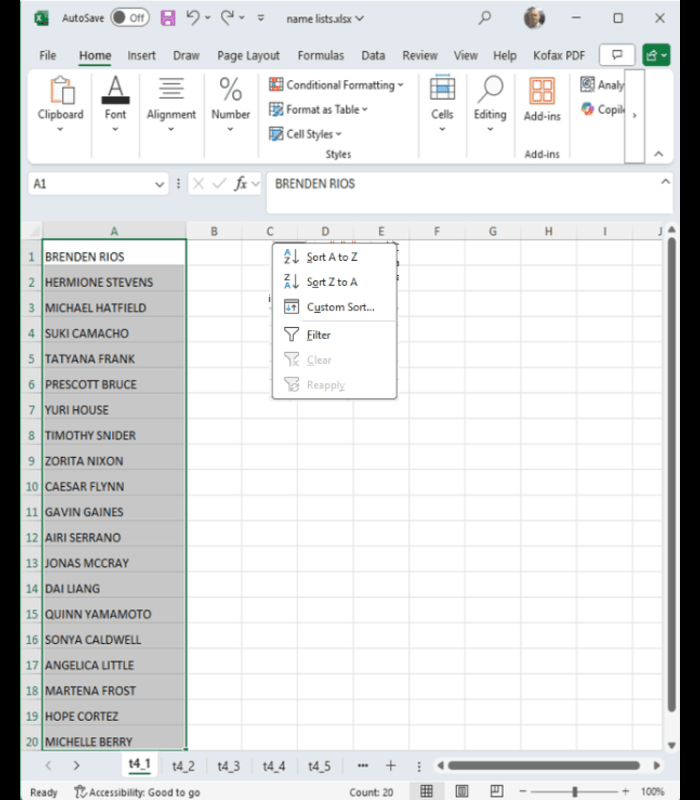
First we sort the column, selecting 

it and choosing A to Z sort

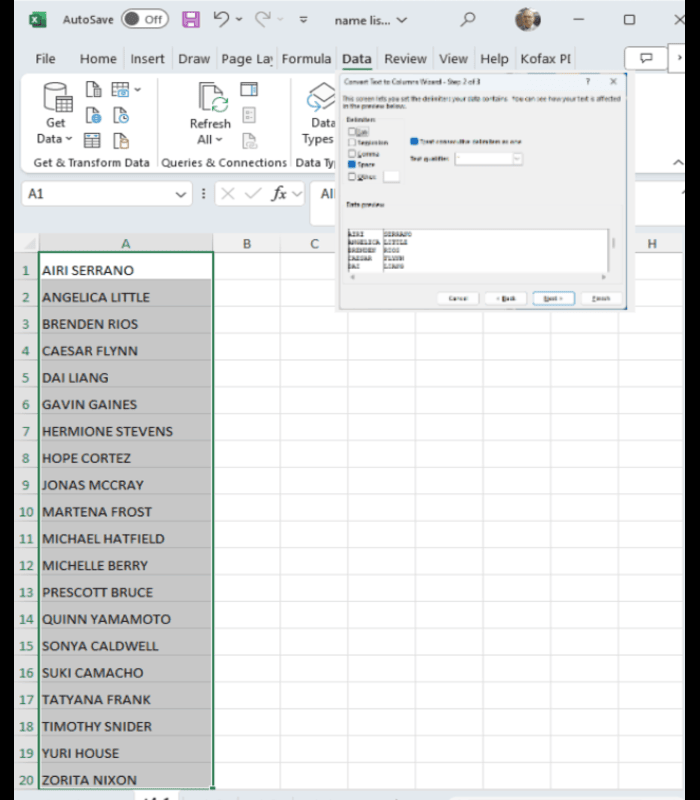
Now we go to the Data Page, choose text 

to columns and choose a blank as delimiter

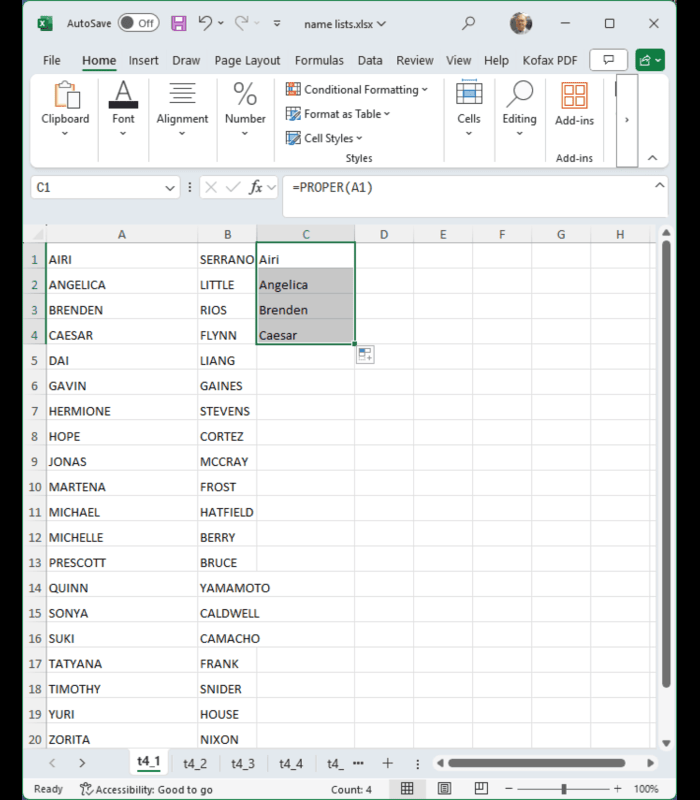
Now apply the “PROPER” function to cell A1 in an empty cell and drag down. Now do the same for column 2

Now perform the above cleaning for numerous tabs, and/or repeat it each week

Hours of tedious work

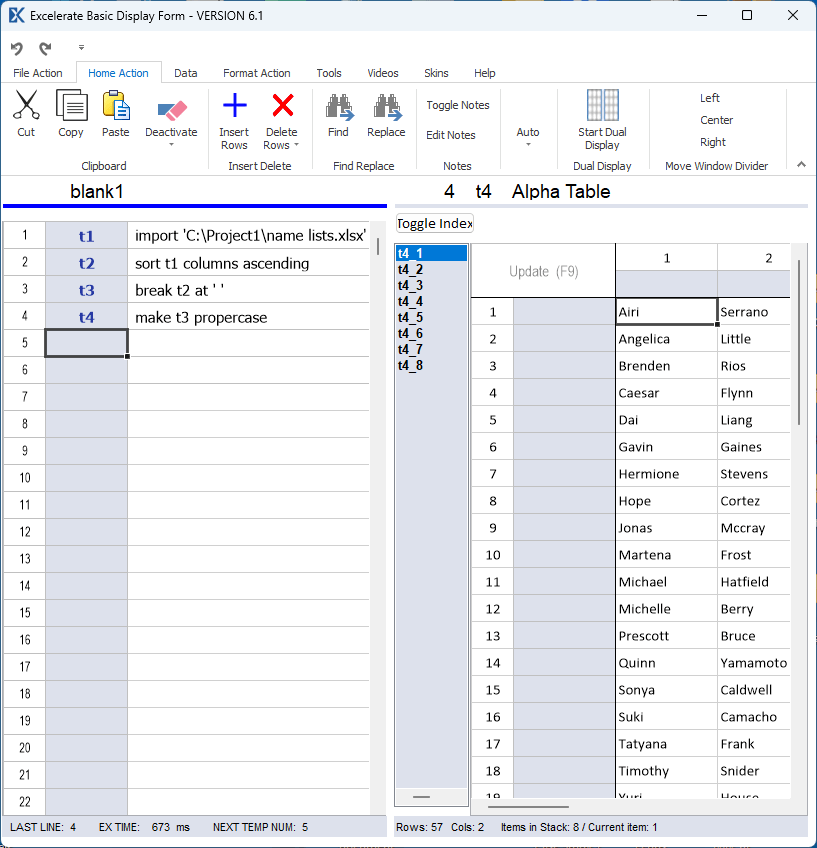
With Excelerate®

  • Select the appropriate action phrases from our library using telescoping menus or copy and paste

  • Run the actions automatically with the click of a button

  • Each action automatically works on all tabs at once

  • Save the actions and reload to work on future data

  • The process is self documenting – show it to boss or friend and send it to anyone using Excelerate

Try Free Now →

Free to try. No credit card needed.
Free Trial

Try Excelerate® For 45 Days

  • Full Access To All Features
  • No Credit Card Required
  • Cancel Anytime

Enter Your E-mail For Download Instructions: